Why Enterprises Need Technology Partners – Not Just Vendors – in 2026
Every Salesforce release brings anticipation.
New capabilities. Platform enhancements. Better performance. Stronger security.
But before exploring exciting new features, every Salesforce Admin, Developer, Architect, and business leader should focus on one thing first – preparation.
A successful Salesforce upgrade isn’t determined by the new functionality that arrives on release day. It’s determined by how well your organization prepares beforehand.
That’s exactly why the Salesforce Winter ’27 release deserves your attention.
Although Salesforce is known for delivering stable, seamless upgrades three times a year, every release introduces platform changes that can affect customizations, integrations, automation, and user experience.
The Winter ’27 release follows the same philosophy.
Rather than waiting until the upgrade reaches production, organizations should use the weeks leading up to the release to validate business-critical processes, test integrations, and ensure users experience zero disruption.
In this guide, we’ll cover everything currently confirmed about the Salesforce Winter ’27 release – including release dates, sandbox previews, pre-release organizations, and practical preparation tips every business should know.
Why Every Salesforce Release Matters
One of Salesforce’s biggest strengths is continuous innovation.
Unlike traditional enterprise software that requires expensive upgrades every few years, Salesforce automatically delivers three major platform releases annually:
- Spring
- Summer
- Winter
Each release introduces enhancements across the Salesforce ecosystem while maintaining compatibility with existing applications.
This approach allows businesses to innovate continuously instead of undergoing disruptive system migrations.
However, automatic upgrades don’t eliminate the need for planning.
If your organization depends on:
- Custom Apex code
- Salesforce Flow automations
- Third-party integrations
- Managed packages
- API connections
- Experience Cloud sites
- Mobile applications
then every release deserves careful attention.
A few hours of testing today can prevent days of troubleshooting later.
Salesforce Winter ’27 Release Dates
One of the first questions every Salesforce customer asks is:
“When will my organization be upgraded?”
Salesforce performs upgrades over several scheduled weekends to ensure platform stability across global instances.
For the Winter ’27 release, the primary production upgrade weekends are:
- August 29, 2026
- October 3, 2026
- October 10, 2026
It’s important to understand that not every Salesforce organization will be upgraded on the same day.
Your production environment is assigned to a specific Salesforce instance, and each instance follows its own maintenance schedule.
That means another company using Salesforce may receive Winter ’27 weeks before – or after – you do.
Knowing your exact upgrade date allows your team to:
- Schedule regression testing
- Notify stakeholders
- Freeze unnecessary deployments
- Validate integrations
- Prepare support teams
Planning ahead reduces risk significantly.
How to Check Your Salesforce Upgrade Date
Fortunately, Salesforce makes it easy to determine when your organization will receive the Winter ’27 upgrade.
The simplest method is through Salesforce Trust.
Search for your Salesforce instance or My Domain and open the Maintenance section.
You’ll find the scheduled upgrade window for your production environment.
If you’re unsure which instance your organization is using, navigate to:
Setup → Company Information
There you’ll find your instance information, helping you quickly identify the appropriate maintenance schedule.
Many organizations overlook this simple step.
Instead, they discover the upgrade only after users begin noticing interface changes.
A proactive approach always wins.
Why Businesses Should Never Wait Until Production
One common misconception is that Salesforce upgrades “just happen.”
Technically, they do.
But responsible Salesforce teams never wait until production changes arrive before testing.
Imagine discovering after the upgrade that:
- A Flow no longer behaves as expected.
- A custom Lightning component breaks.
- An API integration fails authentication.
- A managed package behaves differently.
- A business-critical report produces unexpected results.
These situations are uncommon – but not impossible.
The best time to identify issues is before your users do.
That’s where sandbox previews become invaluable.
Understanding the Winter ’27 Sandbox Preview
If production is your live environment, the sandbox is your rehearsal stage.
Salesforce upgrades sandbox environments before many production instances, allowing organizations to experience the new release early.
This gives administrators and developers an opportunity to validate:
- Custom applications
- Apex code
- Integrations
- Flow automation
- Permission sets
- User experience
- Reports and dashboards
without affecting live business operations.
Think of it as receiving an early copy of the platform.
Rather than guessing what might change, your team can work with the actual Winter ’27 release.
Preview vs. Non-Preview Sandboxes
Salesforce categorizes sandboxes into two upgrade schedules:
Preview Sandboxes
Preview sandboxes receive the Winter ’27 release earlier.
This provides additional testing time before production upgrades occur.
Organizations using Preview sandboxes gain several weeks to:
- Validate business processes
- Review integrations
- Test automation
- Identify compatibility issues
This additional preparation window is incredibly valuable for enterprise organizations with complex Salesforce implementations.
Non-Preview Sandboxes
Non-preview sandboxes follow a later upgrade schedule.
Although testing time is shorter, organizations still have an opportunity to validate key functionality before production upgrades occur.
Based on the currently available schedule, most sandbox environments are expected to receive the Winter ’27 upgrade around August 29, 2026.
Salesforce publishes preview schedules ahead of each release cycle, making it easier for organizations to plan testing activities.
Why Sandbox Testing Should Never Be Optional
Many organizations underestimate the value of sandbox testing.
“We’ve never had problems before.”
Until they do.
Salesforce environments often include years of accumulated customization.
Flows connect to Apex.
Apex connects to integrations.
Integrations connect to external systems.
A seemingly minor platform enhancement can reveal hidden dependencies.
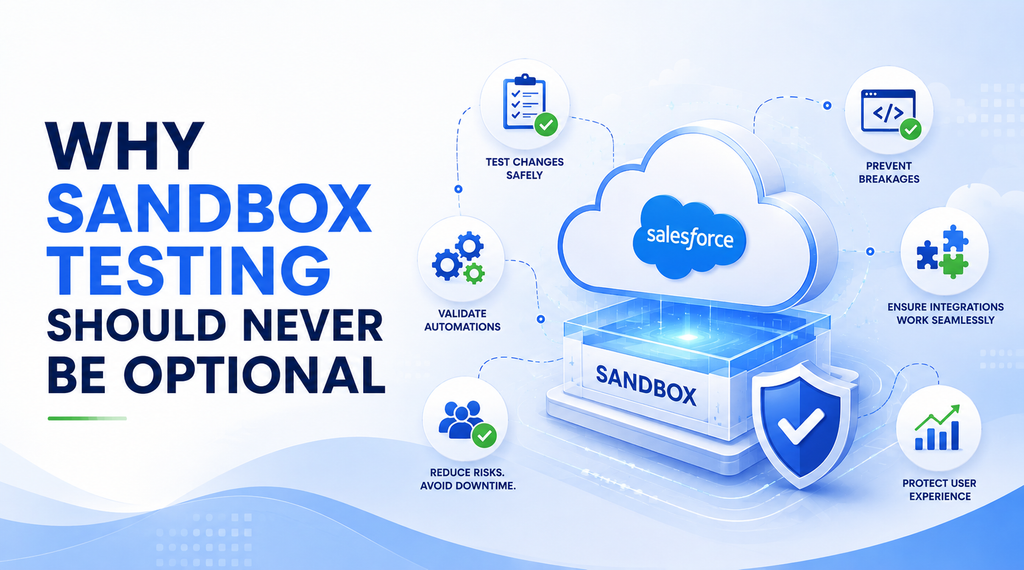
Testing inside a sandbox helps answer important questions:
- Does every Flow still execute correctly?
- Are validation rules behaving as expected?
- Do integrations authenticate successfully?
- Are customer-facing portals functioning normally?
- Are Lightning pages rendering properly?
Finding answers early protects production stability.
And perhaps more importantly, it protects customer experience.
A Small Investment That Prevents Big Problems
The organizations that experience the smoothest Salesforce upgrades aren’t necessarily the ones with the simplest implementations.
They’re the ones that prepare.
A structured testing plan, combined with early sandbox validation, dramatically reduces deployment risk.
Instead of reacting to unexpected issues, teams can confidently move into the Winter ’27 release knowing their Salesforce ecosystem is ready.
And that’s exactly what every release should feel like – not stressful, but predictable.
Explore the Winter ’27 Pre-Release Org
Sandbox previews are an excellent way to test your existing Salesforce environment, but what if you want to explore the Winter ’27 experience before your sandbox is upgraded?
That’s where Pre-Release Orgs come in.
Salesforce provides Pre-Release Orgs before every major release, giving administrators, developers, consultants, and architects early access to the upcoming version of the platform.
Unlike a sandbox, a Pre-Release Org doesn’t contain your organization’s data, customizations, or configurations. Instead, it’s a clean Salesforce environment running the latest release.
This makes it the perfect place to:
- Explore new interface changes
- Familiarize yourself with updated navigation
- Experiment with platform capabilities
- Validate ideas before implementing them in your own org
- Prepare internal training materials
For Salesforce professionals, a Pre-Release Org is more than a playground – it’s an opportunity to stay ahead of the curve.
Rather than learning after the release goes live, your team can build confidence before it reaches production.
Why the Winter ’27 Release Notes Matter
If the release schedule tells you when Salesforce is changing, the Release Notes explain what is changing.
Every Salesforce release is accompanied by detailed documentation covering platform enhancements, product updates, security improvements, deprecated functionality, and new capabilities.
The Winter ’27 Release Notes will become the primary reference point for understanding how the latest release affects your Salesforce implementation.
Instead of skimming through hundreds of pages after production is upgraded, make reviewing the Release Notes part of your release preparation process.
Pay particular attention to sections covering:
- Sales Cloud
- Service Cloud
- Experience Cloud
- Salesforce Flow
- Apex
- APIs
- Security
- Setup and Administration
- Integrations
- Lightning Experience
Not every update will impact your organization, but identifying the ones that do can save countless hours later.
Build a Structured Testing Strategy
One of the biggest mistakes organizations make is testing only the obvious functionality.
Successful release testing should cover complete business processes – not isolated features.
For example, instead of simply checking whether a Lead record opens correctly, test the entire customer journey:
- Lead creation
- Lead assignment
- Conversion
- Opportunity creation
- Quote generation
- Approval processes
- Customer onboarding
- Reporting
This approach uncovers issues that individual feature testing often misses.
A structured testing plan should also include representatives from multiple departments.
Sales teams, service agents, marketing users, finance teams, and Salesforce administrators all interact with the platform differently.
Their feedback is equally valuable.
Salesforce Admin Upgrade Checklist
Before your production environment receives the Winter ’27 release, every Salesforce Admin should complete a comprehensive review.
Review Existing Automation
Document your current Flows, Approval Processes, validation rules, and scheduled automations.
Understanding your automation landscape makes troubleshooting significantly easier if unexpected behavior occurs after the upgrade.
Validate User Profiles and Permissions
Confirm that users retain access to the objects, fields, reports, and applications they need.
Security changes introduced with new releases can occasionally affect user experience.
Test Reports and Dashboards
Executives depend on dashboards for decision-making.
Verify that filters, formulas, and scheduled reports continue functioning as expected.
Review Managed Packages
If your organization relies on AppExchange applications, check with each vendor for Winter ’27 compatibility guidance.
Many partners publish release-specific recommendations before Salesforce upgrades production environments.
Developer and Architect Checklist
Developers should approach every Salesforce release with a proactive mindset.
Test Apex Code
Execute all Apex tests and investigate any failures immediately.
Even small platform updates can expose assumptions within custom code.
Review API Integrations
Organizations increasingly rely on APIs connecting Salesforce with ERP systems, marketing platforms, finance applications, and customer support tools.
Validate:
- Authentication
- API endpoints
- Middleware integrations
- Scheduled synchronization jobs
- Error handling
Never assume external systems will continue working without verification.
Validate Lightning Components
Custom Lightning Web Components and Aura Components should be thoroughly reviewed to ensure compatibility with updated platform behavior.
Communication Is Just as Important as Testing
Technology isn’t the only part of a successful Salesforce upgrade.
People matter too.
Communicate the release schedule with:
- Business stakeholders
- Department leaders
- Customer support teams
- Sales managers
- IT teams
Let users know:
- When maintenance is scheduled
- What changes they may notice
- Where to report issues
- Who will provide support after the release
Clear communication reduces uncertainty and increases user confidence.
Best Practices for a Smooth Winter ’27 Upgrade
Every successful Salesforce release follows a similar pattern.
Start Early
Waiting until the week before production upgrades leaves little room for meaningful testing.
Prioritize Business-Critical Processes
Focus first on the workflows your organization depends on every day.
Involve Business Users
End users often discover usability issues that technical teams overlook.
Monitor Salesforce Trust
The Salesforce Trust website remains the best source for maintenance schedules and platform status.
Document Findings
Maintain a release checklist documenting:
- Completed tests
- Identified issues
- Resolutions
- Lessons learned
These records become increasingly valuable with every future Salesforce release.
Frequently Asked Questions
When will Salesforce Winter ’27 be released?
The primary production upgrade weekends are scheduled for August 29, October 3, and October 10, 2026. Your organization’s exact upgrade date depends on its Salesforce instance.
How do I find my upgrade date?
Visit Salesforce Trust, search for your instance or My Domain, and review the Maintenance section.
Why should I test in a sandbox first?
Sandbox testing allows you to validate customizations, automations, integrations, and business processes before changes reach production.
What is a Pre-Release Org?
A Pre-Release Org is a clean Salesforce environment running the upcoming release, allowing users to explore new functionality before sandbox upgrades.
Are Salesforce upgrades automatic?
Yes. Salesforce automatically upgrades customer environments. However, organizations remain responsible for testing customizations and integrations before production upgrades occur.
Final Thoughts
Every Salesforce release represents an opportunity.
Not just to access new platform capabilities – but to improve the stability, security, and efficiency of your Salesforce ecosystem.
The Winter ’27 release may seem like a routine platform update, but successful organizations understand that preparation is what separates a seamless upgrade from an unexpected disruption.
Knowing your release schedule, leveraging sandbox previews, exploring Pre-Release Orgs, reviewing Release Notes, and following a structured testing strategy will ensure your organization is ready when Winter ’27 arrives.
Salesforce continues to evolve rapidly, and businesses that embrace a proactive release management process are always better positioned to take advantage of new innovations while minimizing operational risk.
Instead of treating Winter ’27 as just another upgrade, view it as an opportunity to strengthen your Salesforce foundation and prepare for the next wave of innovation.
Ready for Winter ’27? Let STRAT-LINK Help.
Whether you’re preparing for the Salesforce Winter ’27 upgrade, optimizing your Salesforce environment, or planning your next AI-powered CRM initiative, having the right implementation partner makes all the difference.
At STRAT-LINK, we help organizations maximize the value of Salesforce through expert consulting, implementation, integration, optimization, and managed services. From release readiness assessments and sandbox validation to complex Salesforce architecture and AI-driven transformation, our team ensures your CRM evolves with your business – not against it.
Connect with STRAT-LINK today to ensure your Salesforce Winter ’27 upgrade is smooth, secure, and future-ready. Let our experts help you unlock the full potential of every Salesforce release.